

Streamline Your Trading Journal: Text Templates & Notebook Upgrade

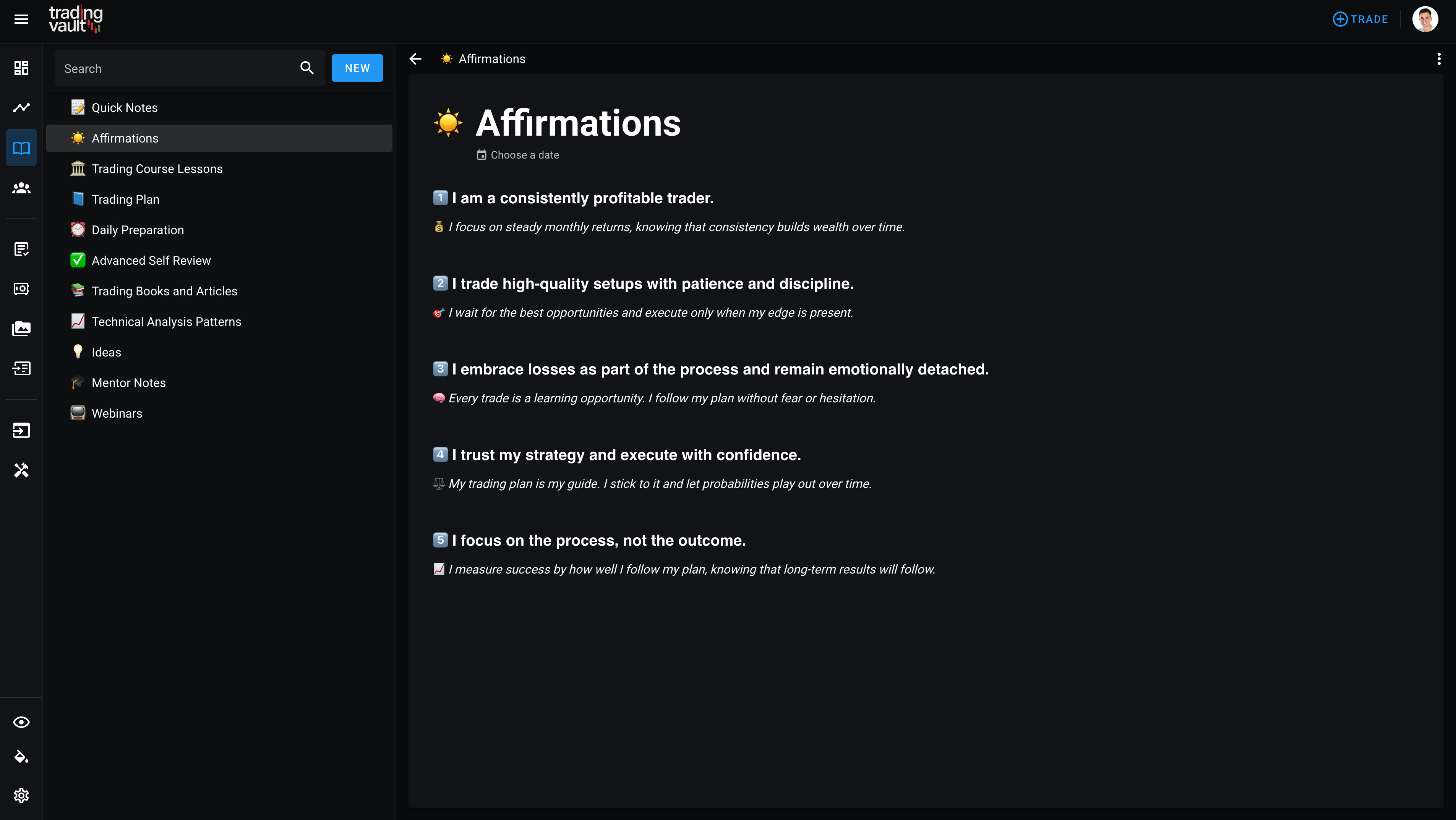
We’ve just rolled out some powerful new features to make your journaling even smoother and more efficient. With Text Templates and a redesigned Notebook, tracking trades, reviewing routines, and organizing notes has never been easier.
✨ Save Time with Text Templates
Do you find yourself repeatedly adding the same headings, questions, or trade review sections? Now, you don’t have to! Text Templates let you save pre-written text and insert it into your journal with one click.
📌 Why You’ll Love It:
✅ Instantly insert saved templates into any blank editor.
✅ Structure your journal with pre-formatted sections, headings, and review questions.
✅ Use the ‘/’ slash command to quickly add checklists, strategy notes, or any saved template as you type.
Managing Your Templates
We’ve added a dedicated template management screen to the left panel, making it easier to:
🔹 View all your saved templates in one place.
🔹 Edit and update them as needed.
🔹 Reorder templates for quick access.
No more copy-pasting or retyping the same structures—set it up once and insert it instantly whenever you need!
📝 Notebook Overhaul: A Sleek, More Powerful Experience
The Notebook has been completely revamped with a fresh look and more intuitive controls. Whether you’re organizing ideas, tracking routines, managing a trading plan, or reviewing performance, the new Notebook makes everything easier.
What’s New?
✅ Redesigned Page List – Quickly find and navigate between pages.
✅ Quick Actions – Create sub-pages with a single click.
✅ Streamlined Design – A cleaner, distraction-free writing experience.
✅ Date Assignments – Add dates to notebook pages for daily routines, trade reviews, and recurring tasks.
✅ Quick Date Insertion – Automatically append today’s date to your page title for better organization.
✅ Breadcrumb Navigation – Move effortlessly between pages with the new breadcrumb bar at the top.
If you rely on the Notebook to track your trading mindset, daily plans, or performance reviews, you’re going to love these updates!
🎯 Start Using These Features Today!
These updates are live now—jump into Trading Vault and try them out! 🚀
Got feedback? We’d love to hear how you’re using Text Templates and the improved Notebook to streamline your journaling. Let us know what you think!
The Enhanced Trading Vault Editor: A Game-Changer for Your Journal
Discover Trading Vault's new Notion-like editor! Featuring slash commands, drag-and-drop blocks, markdown shortcuts, and more for effortless journaling.
Trading Vault's Stunning Makeover: Customize Your Trading Experience
Explore Trading Vault's exciting new update featuring new themes, and enhanced visuals, for a seamless trading experience.